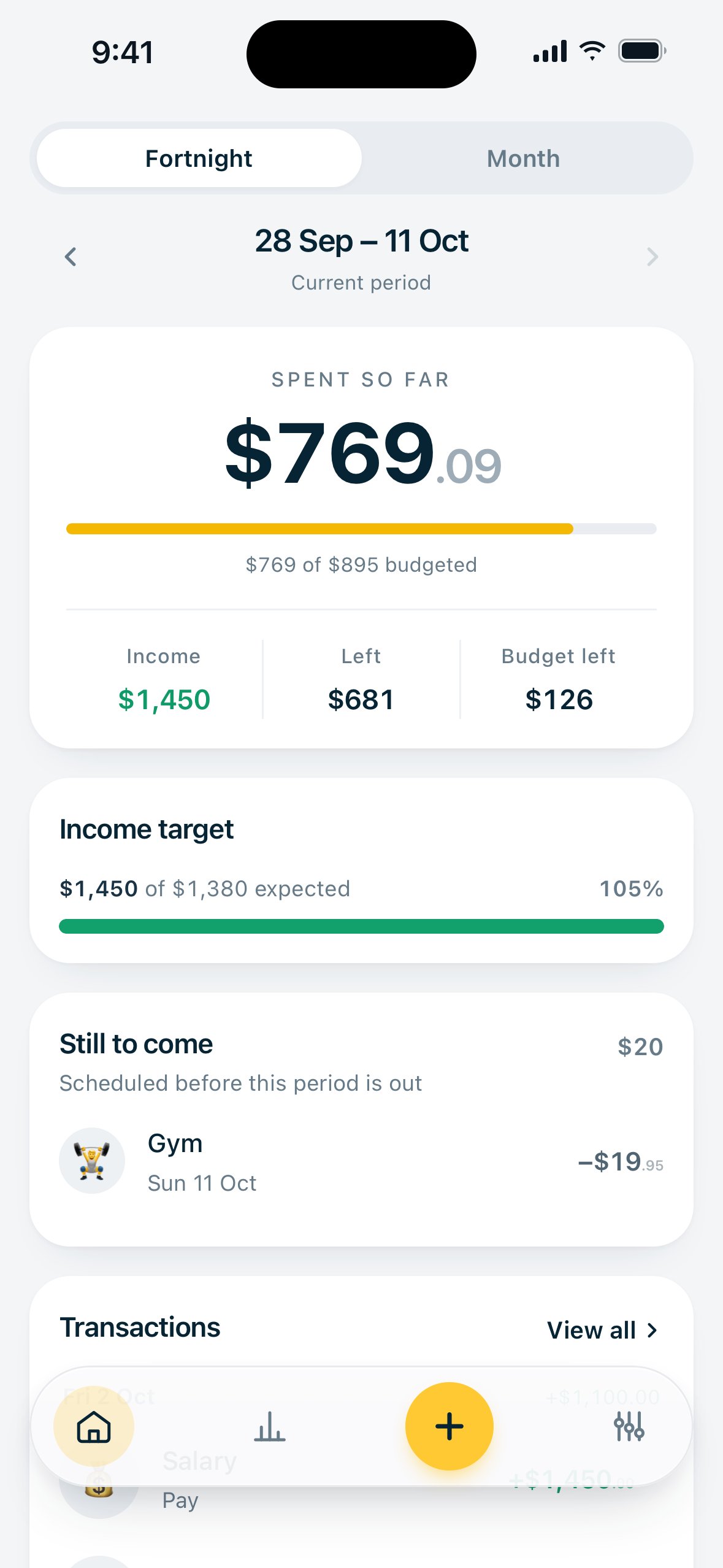
A PWA to record my expenses and see where my money goes. It works together with the dashboard: one shows how much I have, this one shows how I spend it. Budgets follow the pay cycle, and a net worth screen brings the two together.
- Built
- Solo, with Claude Code
- Stack
- Next.js, Supabase, Vercel
- Platform
- iPhone home screen (PWA)
- Year
- 2026
Decisions
01
Budget by fortnight, because that’s when the pay arrives
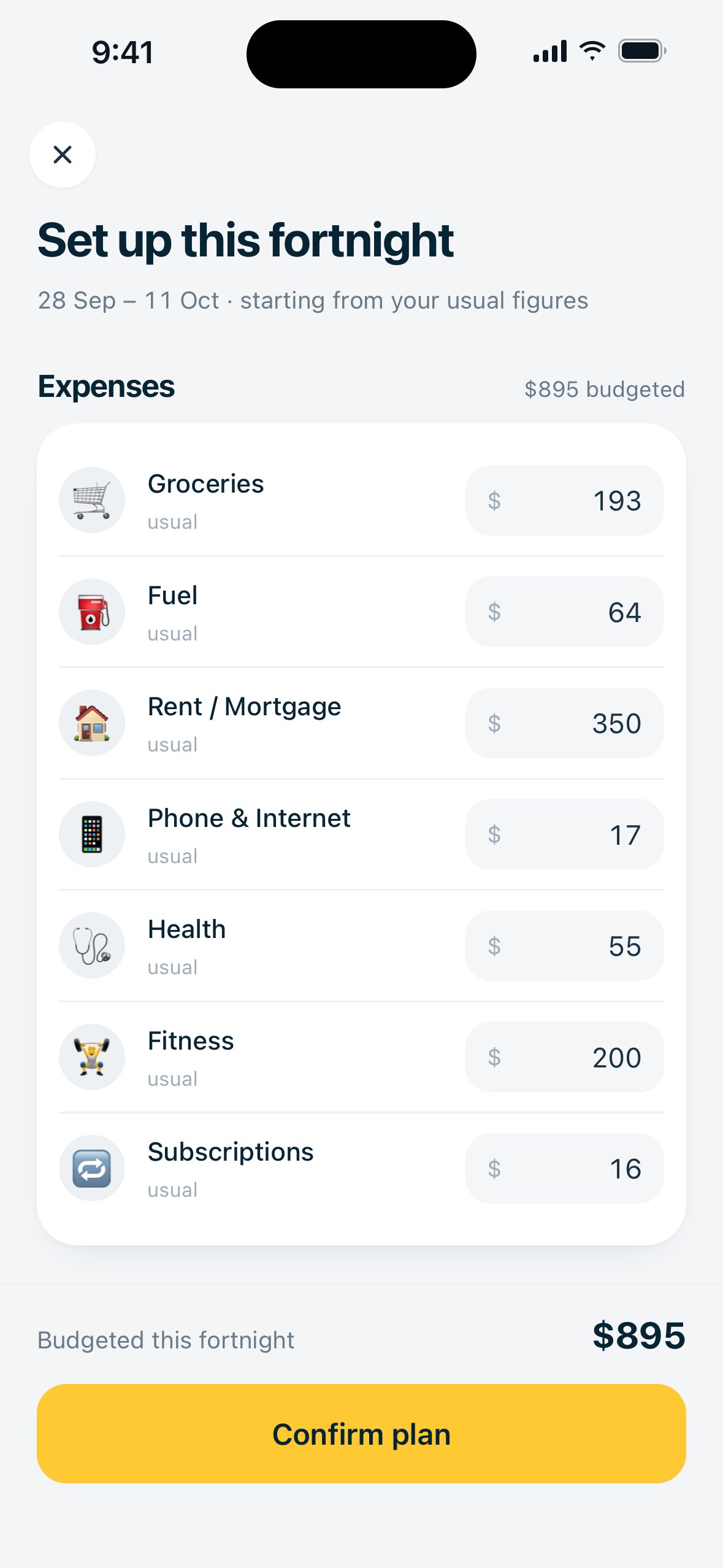
A budget period is a fortnight starting from a real payday, or a month starting on payday. You enter budgets once a month, and the fortnight view splits them proportionally and labels them as pro-rated. This way the bars mean the same thing in both views, and you don’t need to enter two sets of numbers.
02
A custom keypad instead of the keyboard
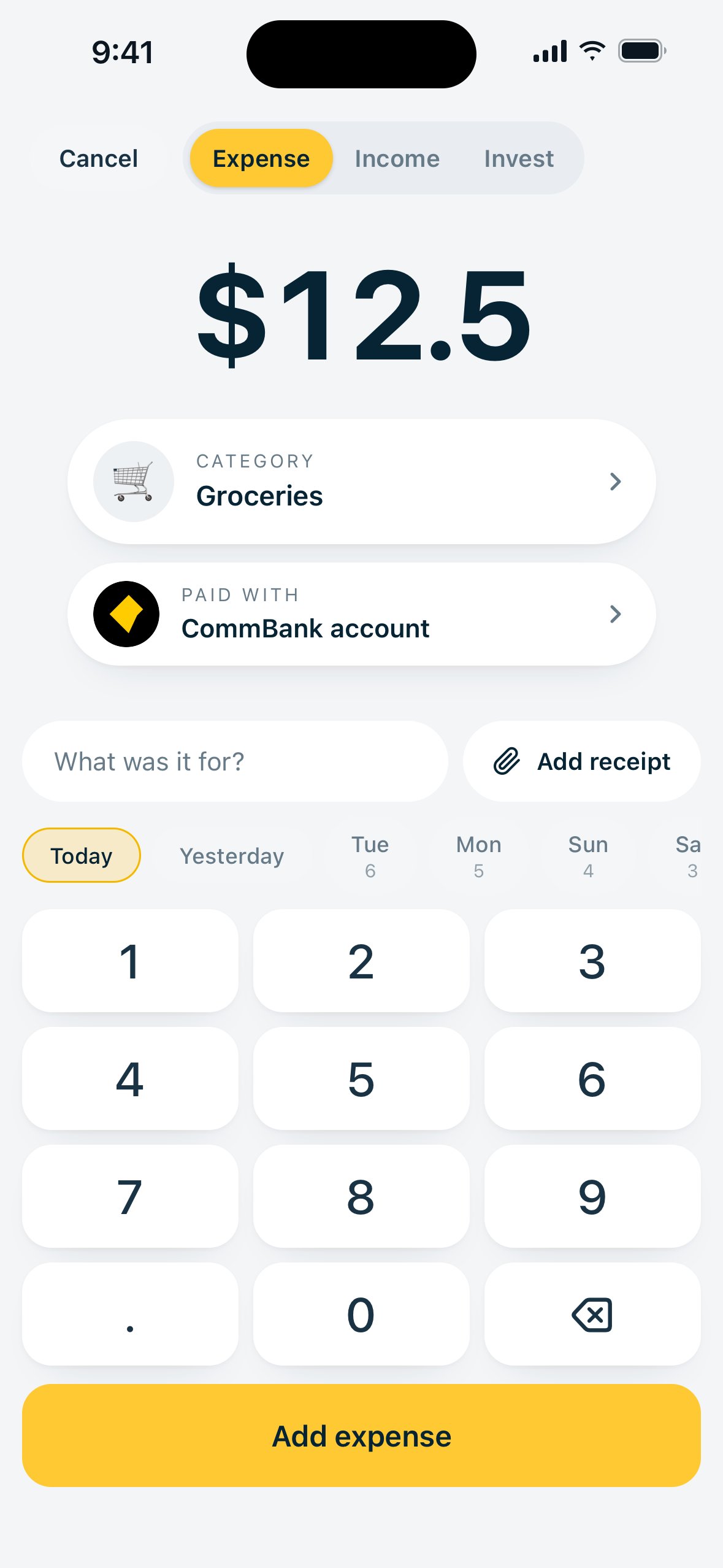
Adding a transaction needs to be fast. The iOS keyboard zooms, moves the layout and covers half the screen, so the Add screen has its own keypad with bigger buttons, categories sorted by how often you use them, and the date right next to the keys.
03
Recurring costs as rules
Things like rent every fortnight are set up as rules. When a payment is due, the rule creates a normal transaction, and from then on you can edit or delete it like any other, and it is counted only once. A “Still to come” card shows what is due before the period ends, because what you have left to spend is very different if rent is due on Thursday.
Screens