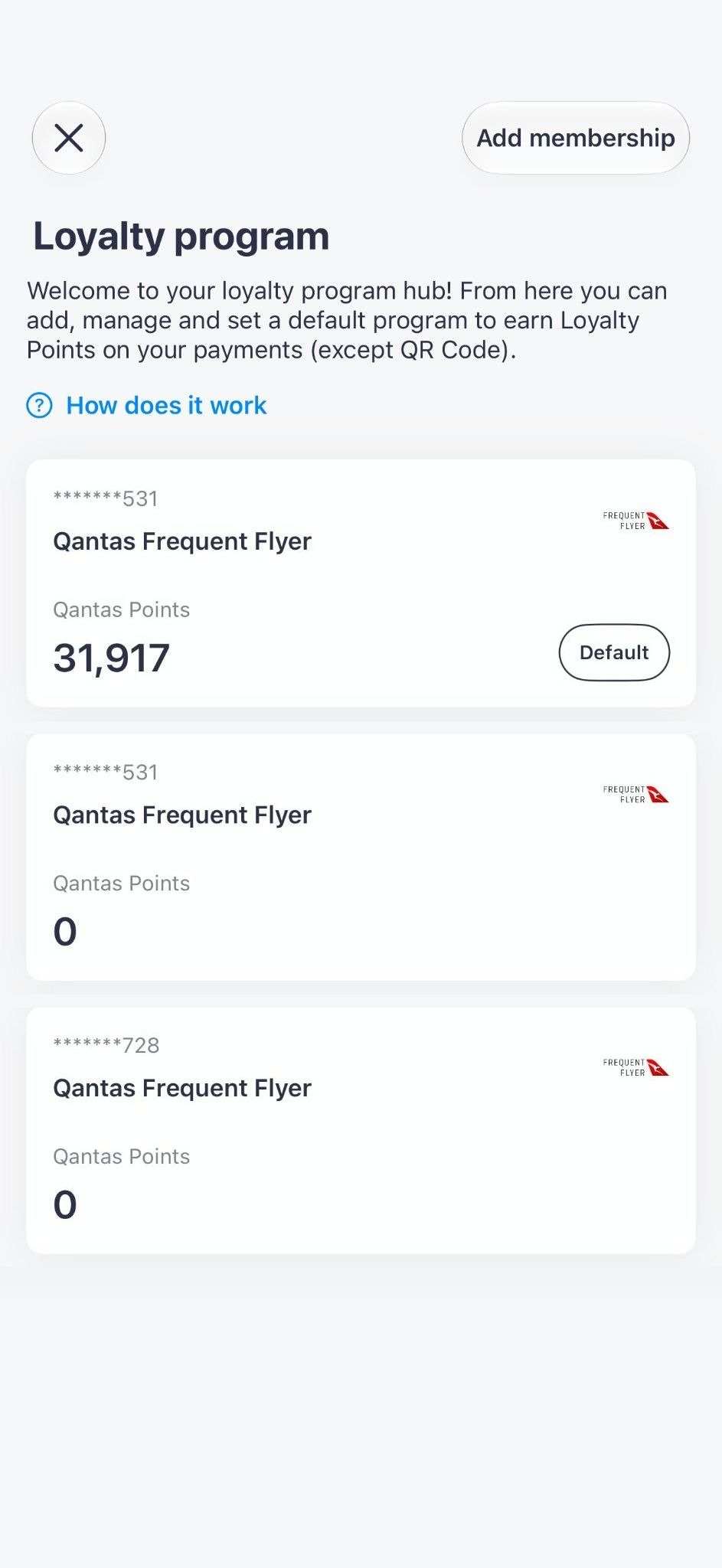
Sniip partnered with Qantas so people could earn points on the bills they already pay. I designed the loyalty section, where you can link your memberships, see the points you are earning and choose which membership gets them.
- Company
- Sniip — bill payments, Australia
- Role
- Product Designer
- Team
- 1 designer, 1 product lead, 3 developers (2 front-end, 1 back-end)
- Timeline
- About 3 months, from business requirements to release
- Platform
- iOS & Android
- Interaction design
- Flow design
- UI design
- Partnerships
01 ProblemPeople could earn points on their bills, but there was nowhere in the app to link a membership.
Sniip partnered with Qantas so people could earn points when they pay bills through Sniip. The section launched with Qantas Frequent Flyer and Virgin Australia Business Flyer, and Velocity was added recently.
Nothing like this existed in the app. People needed a way to link a membership, check that the points were arriving, and choose which membership gets them if they have more than one.
02 ProcessKeep linking a membership quick, and show where every point comes from.
01
A hub that works with any program
The loyalty section opens with a card for each linked membership, showing its number, program and points. Add membership is at the top, and How does it work explains the points before you link anything.
The programs are a simple list, so when Velocity was added later it was just one more row. Its form asks for slightly different details, but the flow is the same.
Every membership in one place, the default marked 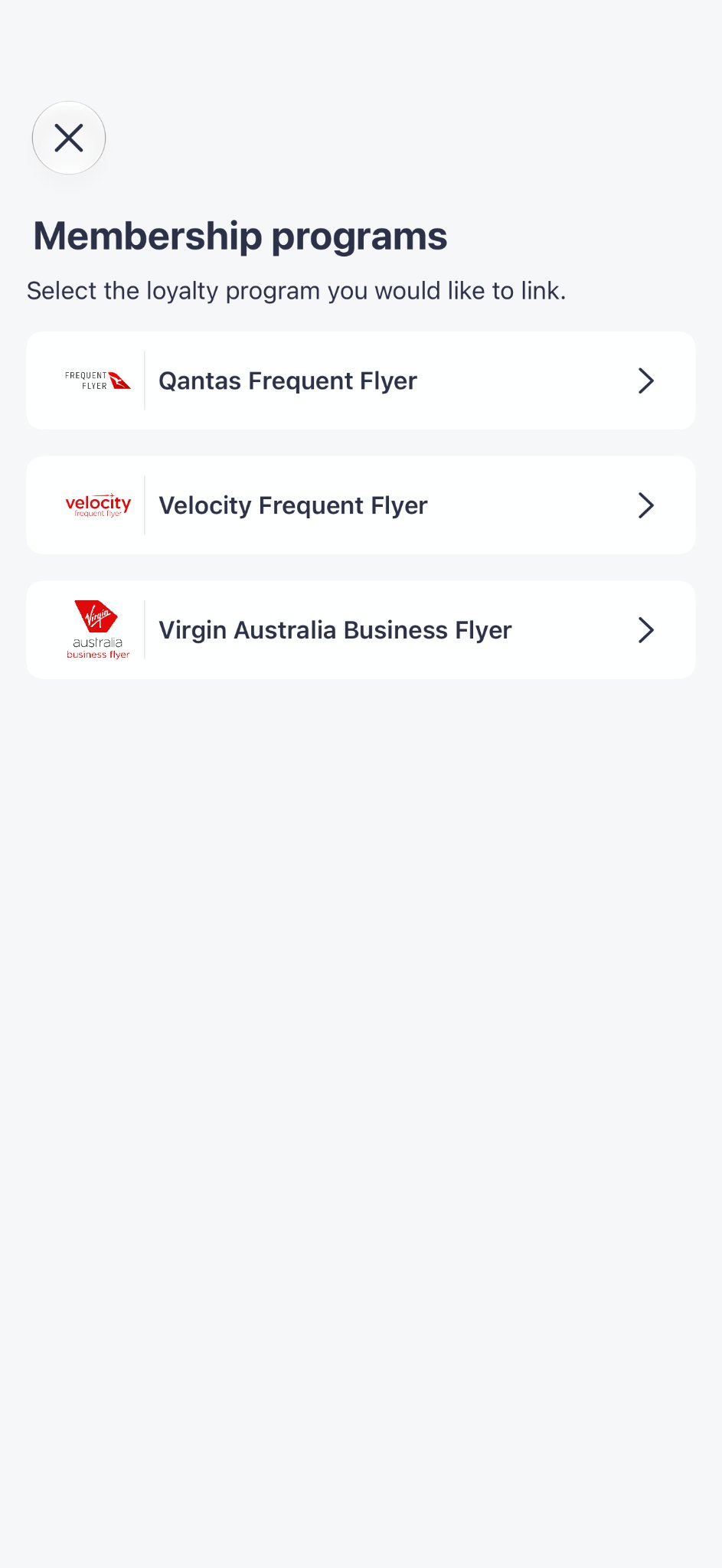
A new program is one more row 02
Ask only for what is needed, and show what you earn
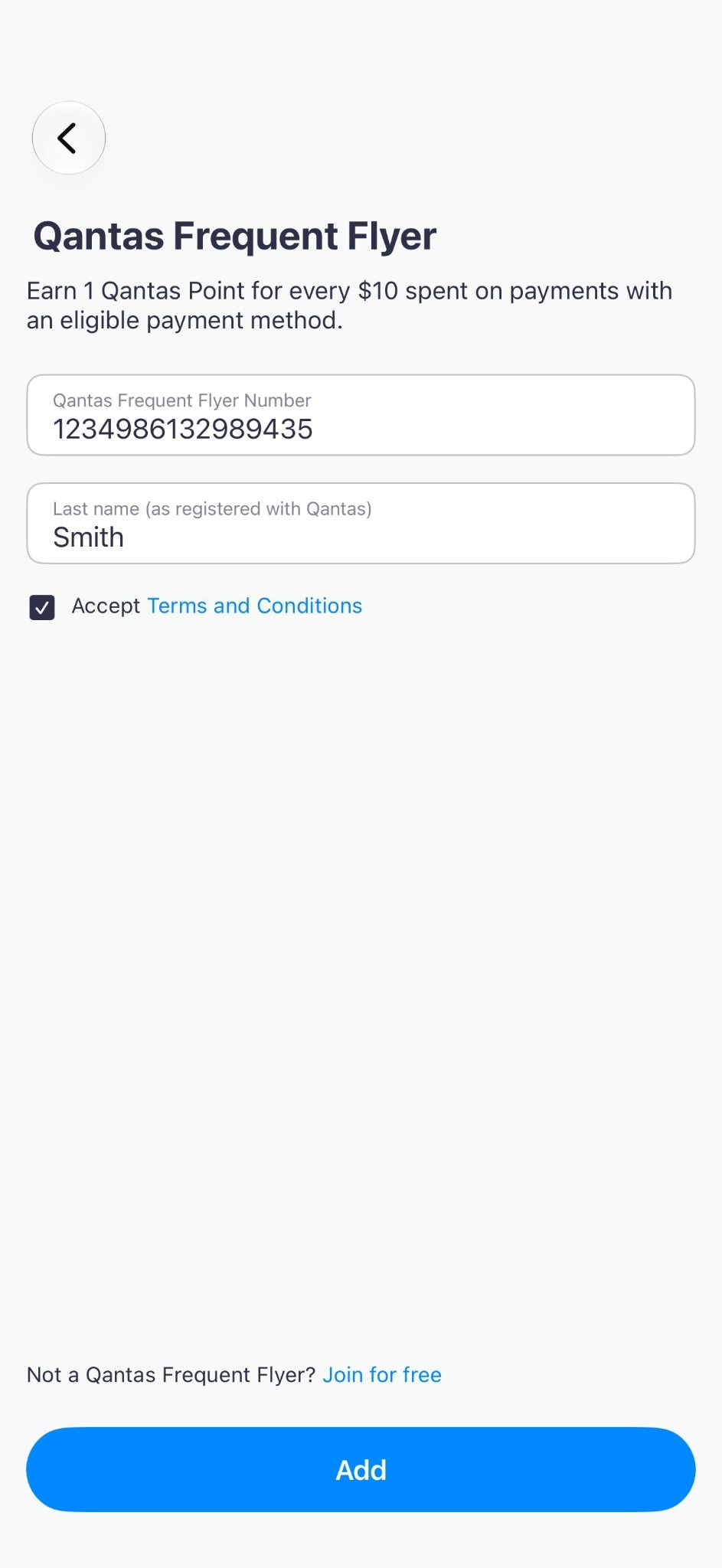
To link a membership you only need the membership number and your last name, as they appear in the program. The top of the screen tells you what you earn, 1 Qantas Point for every $10 spent, and at the bottom there is a link to join for free. The Add button is enabled only when both fields are filled and the terms are accepted.
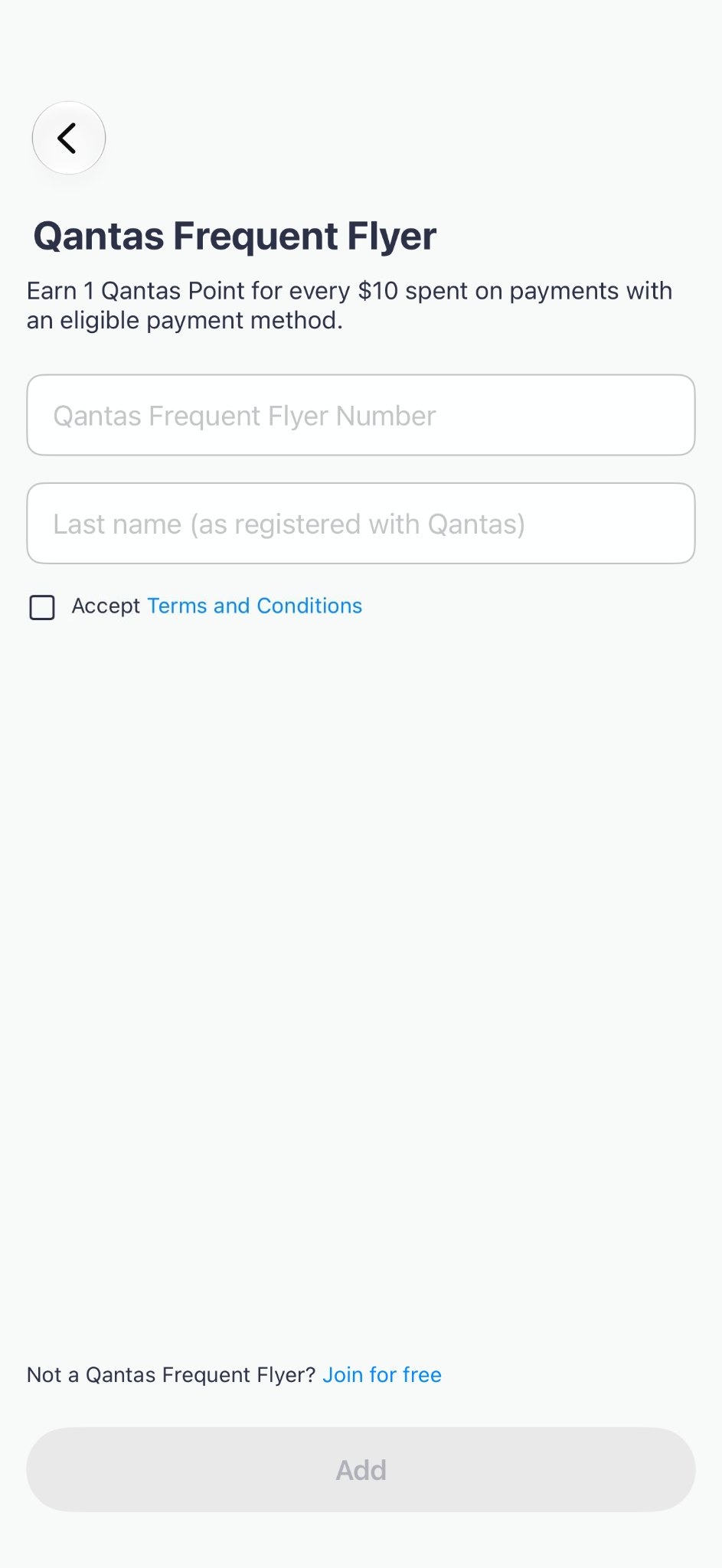
What you earn comes first Add is enabled once everything is filled in 03
Show where every point came from
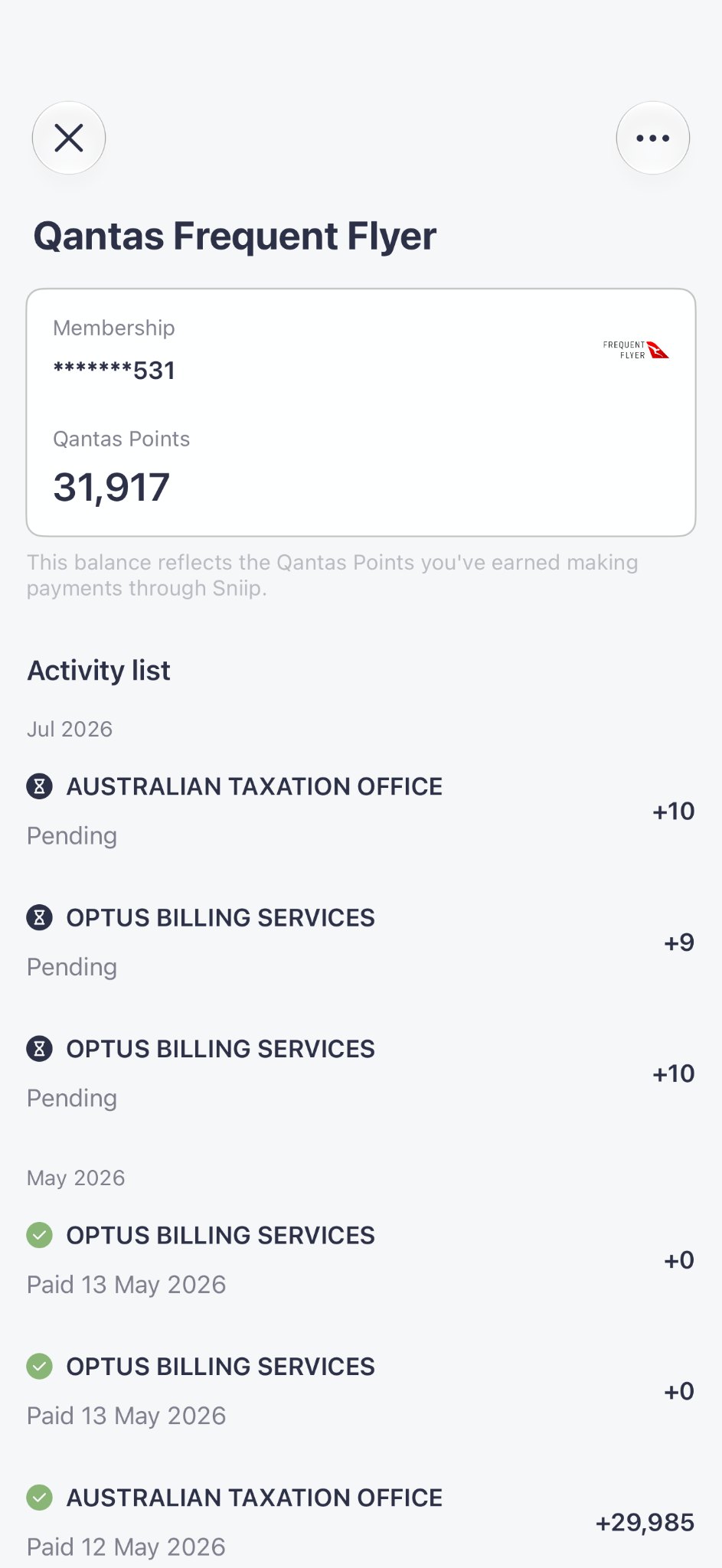
Each membership shows the balance first, then the list of payments that earned the points, grouped by month. Points stay Pending until the bill is paid, so you can see what is coming before it arrives.
The balance, and the payments behind it 04
One default, changed in two taps
Points go to one membership at a time. You can change it from the membership menu with Set as default, next to Delete. A confirmation explains what happens: all your points will go to this membership number, and you can change it at any time. In the hub, a badge shows which one is the default.
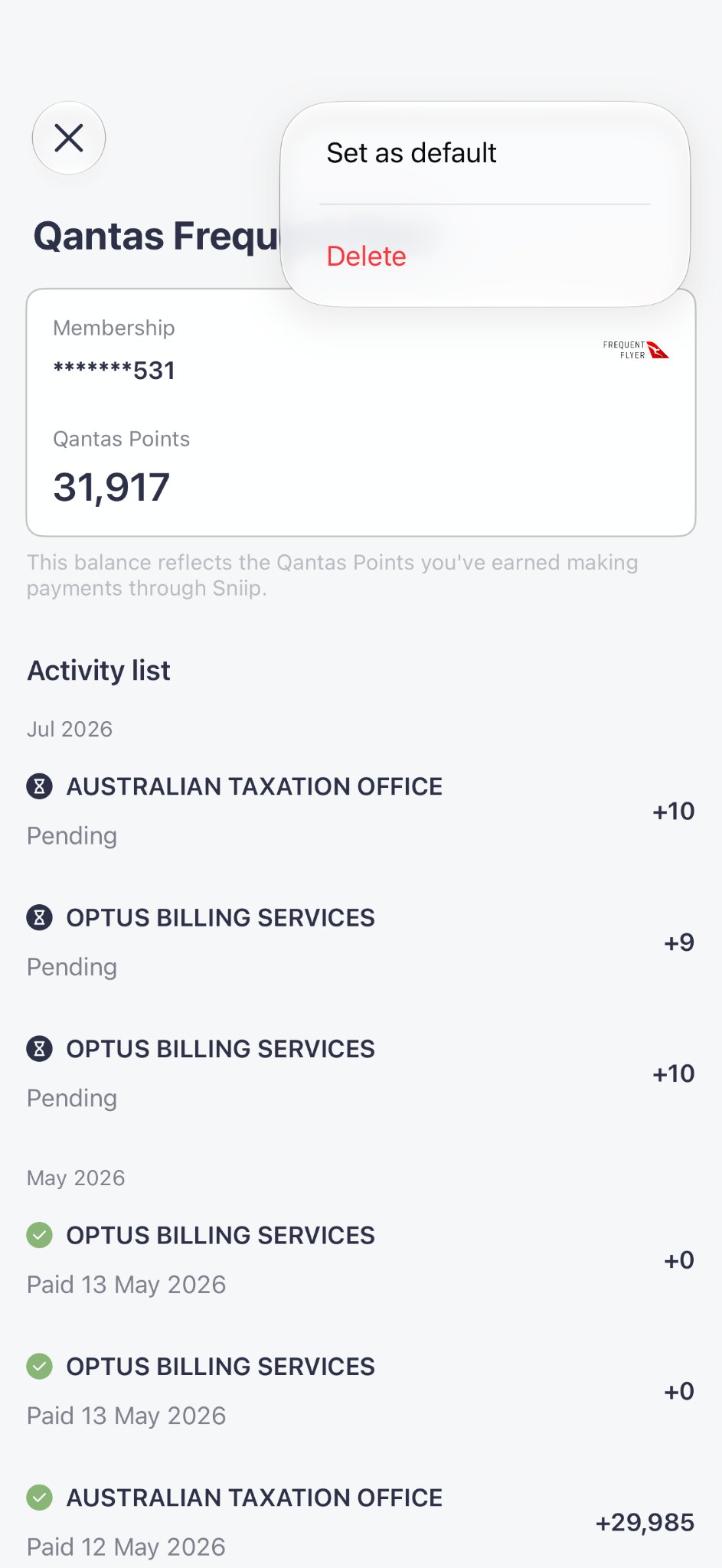
Set as default, next to Delete 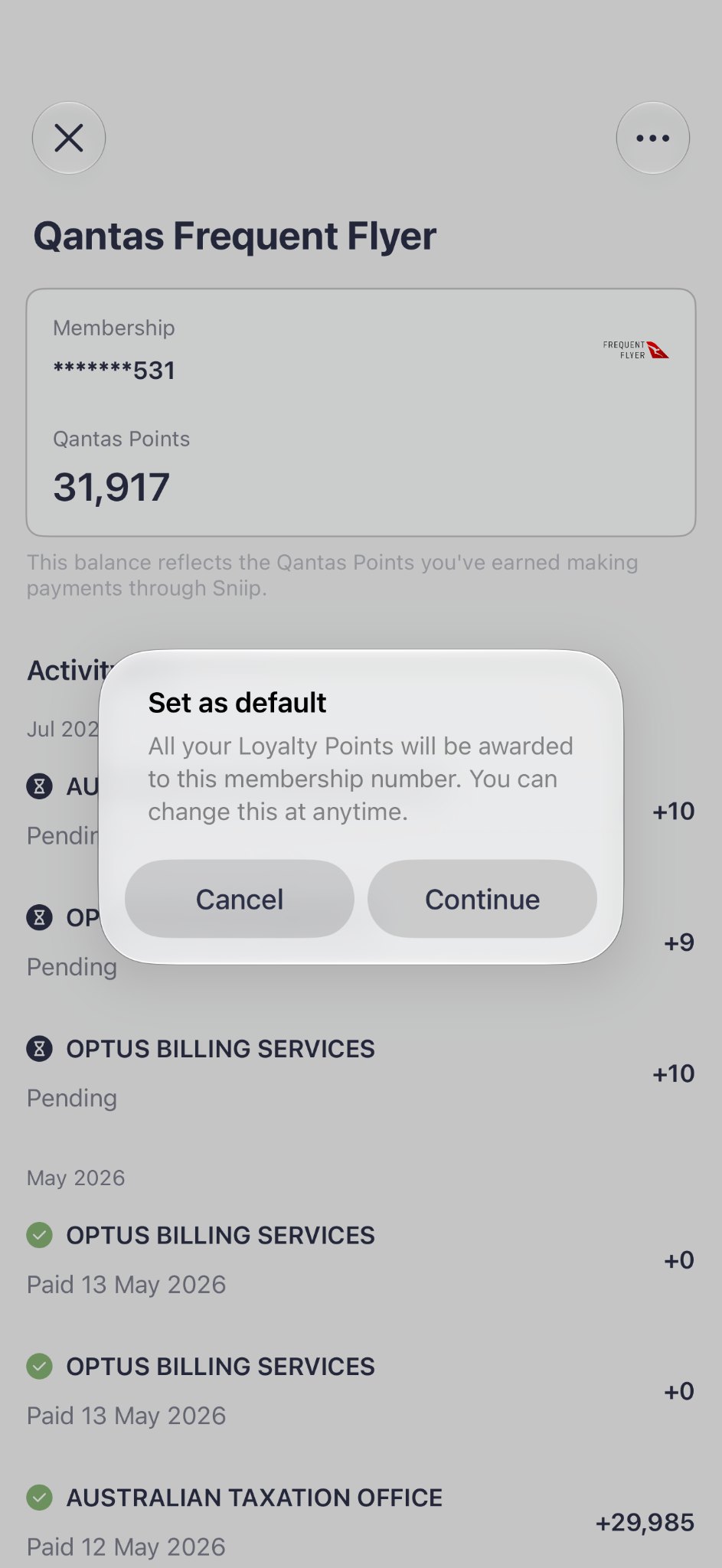
A confirmation before anything changes
03 SolutionAll your memberships in one place, with the points and the bills that earned them.
One place for all your memberships, a short form to add a new one, and a list of the points each payment has earned.
04 OutcomePeople wanted the points, and that brought more users and more bills to Sniip.
People wanted to earn more points, so loyalty brought in more users and more bills paid through Sniip. It took about three months from business requirements to release, with no pushback from stakeholders, and Velocity has since been added as a third program.
Looking back
The list of programs. Every program’s logo has its own shape, so some look much smaller than others next to their names. I would give every logo the same frame, so the list reads evenly.
With the product lead and three developers at Sniip